Regular artists
Invite members, choose the rooms they can use, and allow recurring bookings where appropriate.
For music studios
Keep rehearsal rooms, recurring sessions, and guest bookings in one schedule. Show availability and room details before someone commits to a time.

Availability
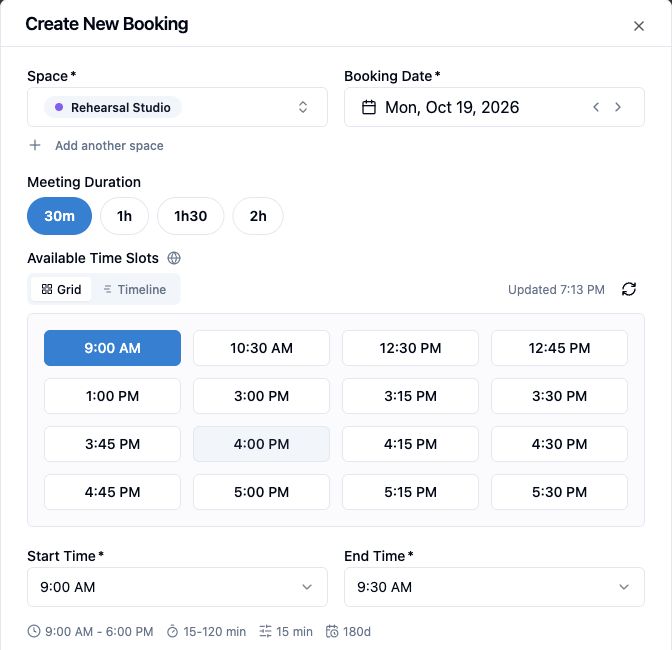
Choose the Rehearsal Studio and a session length to see the start times still available. The booking form reflects the room's hours and existing reservations, so artists can choose a time that works.
Members and guests
Staff can check Rehearsal Studio availability in the booking form. For another room, The Studio, visitors can choose a 90-minute slot through its public page and review the calculated price before confirmation.
Explore member and guest bookings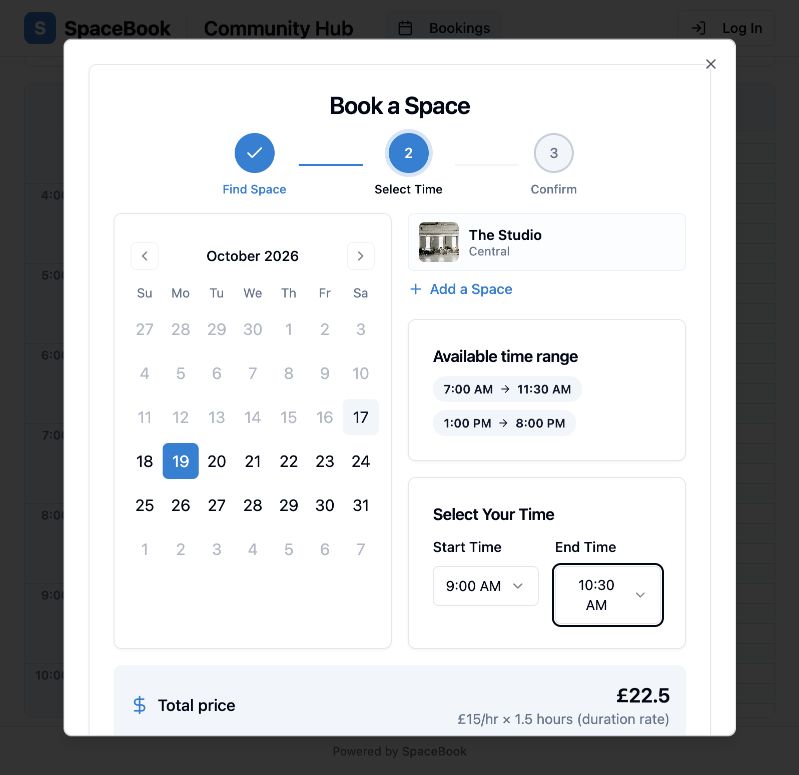
Invite members, choose the rooms they can use, and allow recurring bookings where appropriate.
Share a public booking page and collect guest details. Paid booking depends on the plan and venue setup.
Schedule
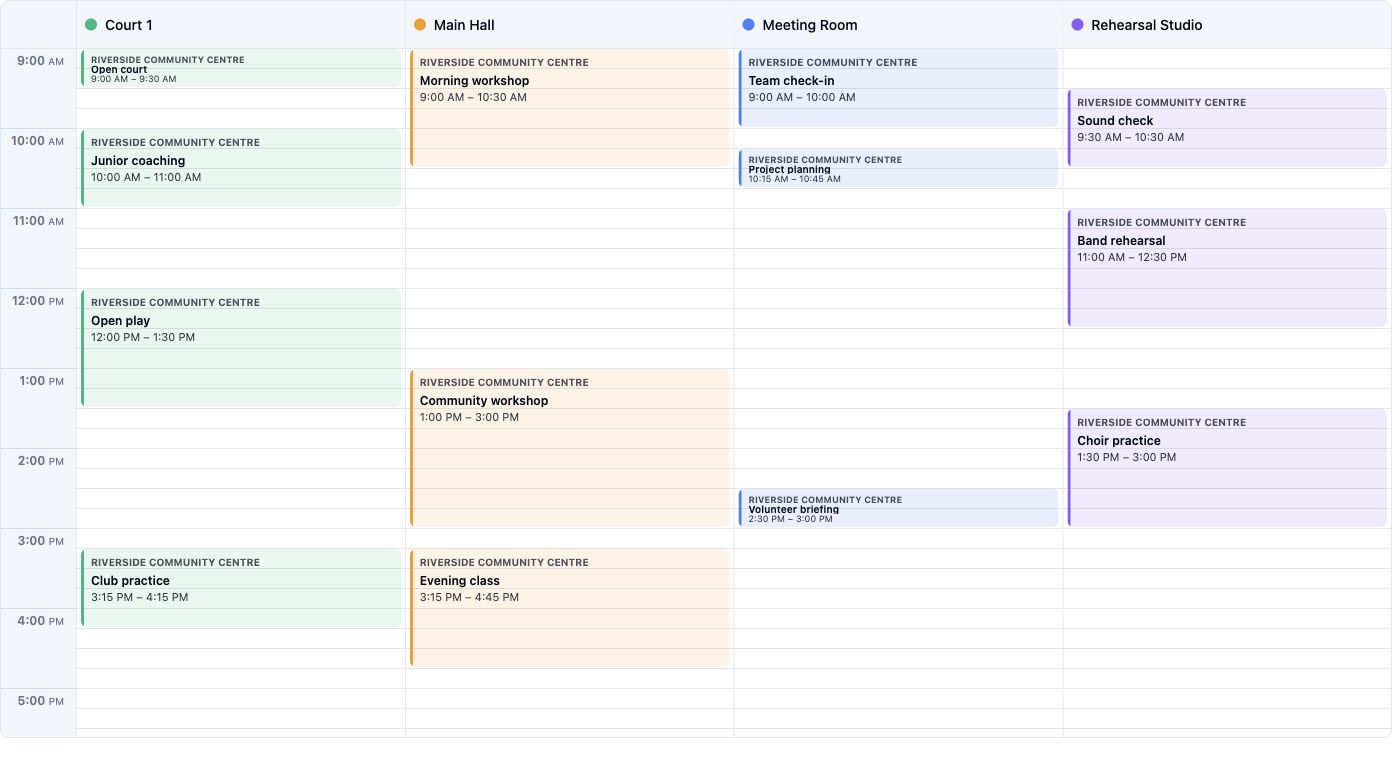
The day grid puts rehearsal sessions and other reservations in one staff view. Opening hours, blocks, and recurring bookings then shape the times offered for the next session.
Explore scheduling rulesDescribe each room so artists can choose a suitable space.
Keep recurring rehearsals and one-off sessions in one view.
Show times that match the studio's actual schedule.
Set duration, blocked times, and cancellation boundaries.
FAQ
Plan availability and venue setup determine which booking and payment options are available. Compare plans
Recurring bookings are supported where the studio allows them. The calendar checks them against other reservations.
Where public booking is enabled, outside visitors can use a shareable link or an embedded booking page.
Eligible paid bookings use the configured payment workflow when the venue has Stripe setup and the selected Spacebook plan supports it.

Bring availability, room details, repeat bookings, and eligible guest payments together.