Access
Choose which people, teams, or roles can reserve a space.
For sport facilities
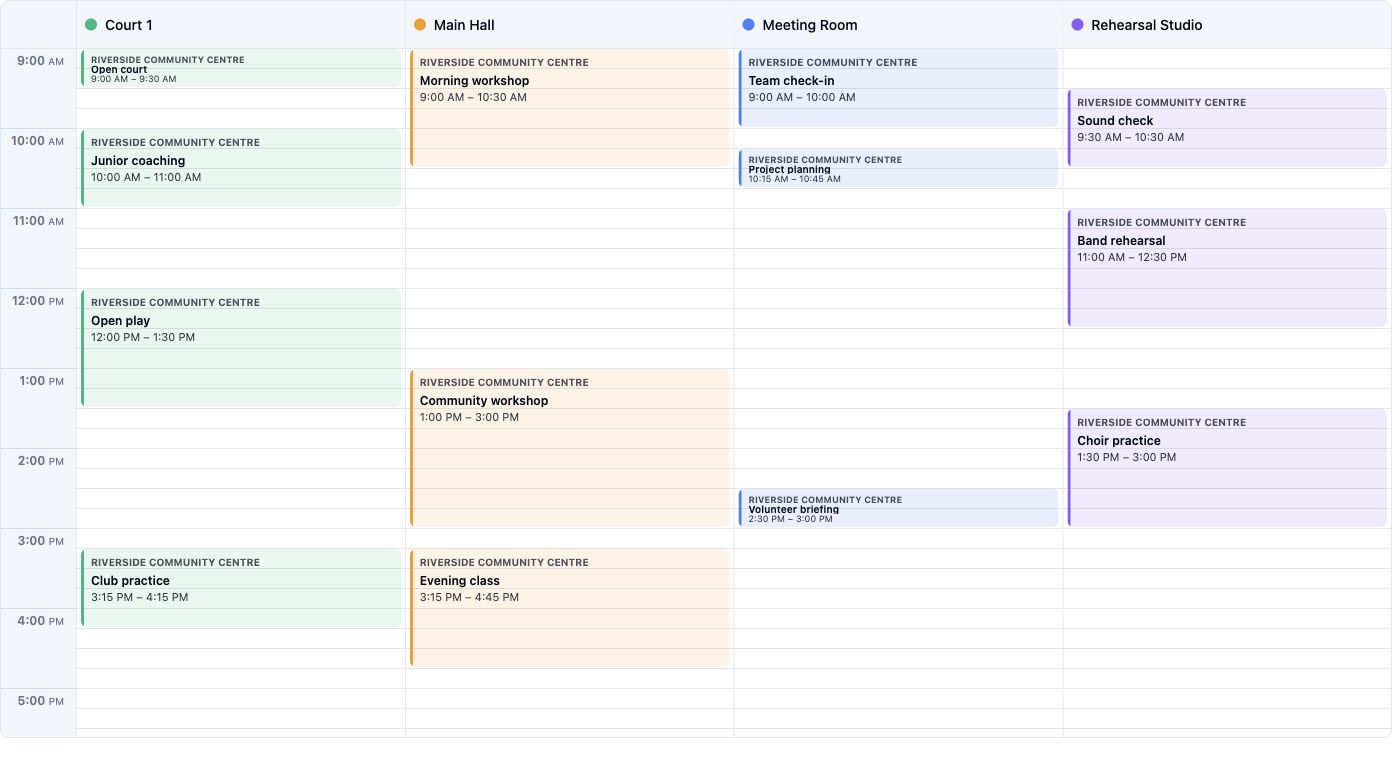
Show people the courts and times they can book. Keep opening hours, access, booking limits, and prices under your control.

Availability
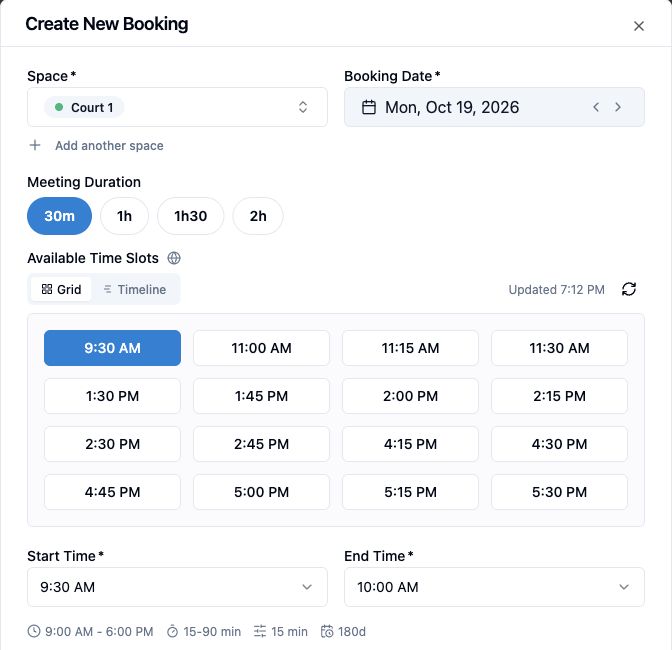
People choose a space, date, and duration, then see the eligible start times. Conflict checks protect the shared schedule when a booking is made.
Shared footprints
Model a physical area as zones and bookable configurations. If two configurations use the same zone, they cannot be reserved for overlapping times.
Explore modular spacesHalf court A is booked, so the full court cannot be booked at the same time. Half court B remains available.
Rules
In the real product example, Court 1 has a 90-minute maximum and a scheduled blocked period. Access, opening hours, booking windows, and pricing rules can reflect how your facility operates.
Explore access and rules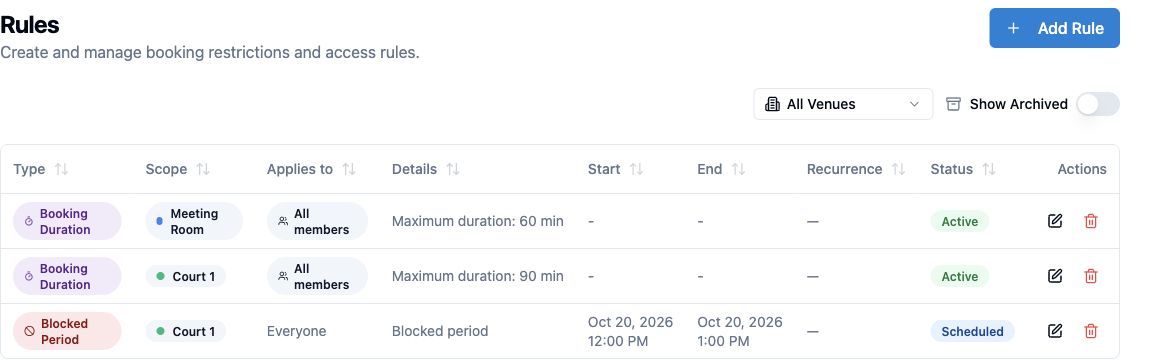
Choose which people, teams, or roles can reserve a space.
Show times that match the court's actual schedule.
Set duration and per-user booking limits.
Control how far ahead an eligible user can book.
Insights
Review peak usage hours over a selected date range. The product view uses the Community Hub example; the same reporting view can help a sports venue inspect its own demand before changing court hours.
Explore usage insights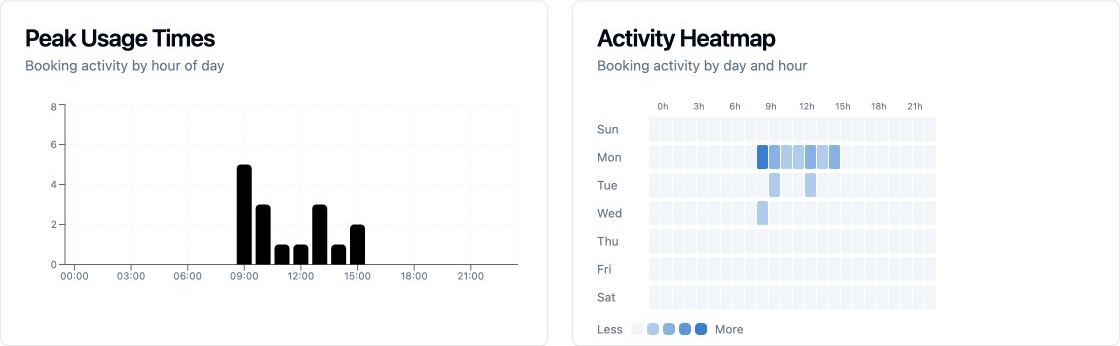
FAQ
Plan availability and venue setup determine which booking and payment options are available. Compare plans
A physical space can have zones and configurations. Configurations using the same zone cannot be booked at the same time.
Booking policies and pricing rules can target conditions such as time, duration, and audience. Configure the rules that match your venue.
Eligible public bookings can use Stripe payments when the venue has payment setup enabled and the selected Spacebook plan supports the workflow.

Bring courts, availability, policies, and reservations into one place.