Regular groups
Allow recurring sessions for eligible members when the venue permits them.
For community spaces
Let regular groups and visitors book the rooms they can use. Keep workshops, hall hire, and closures in one schedule your team can review.

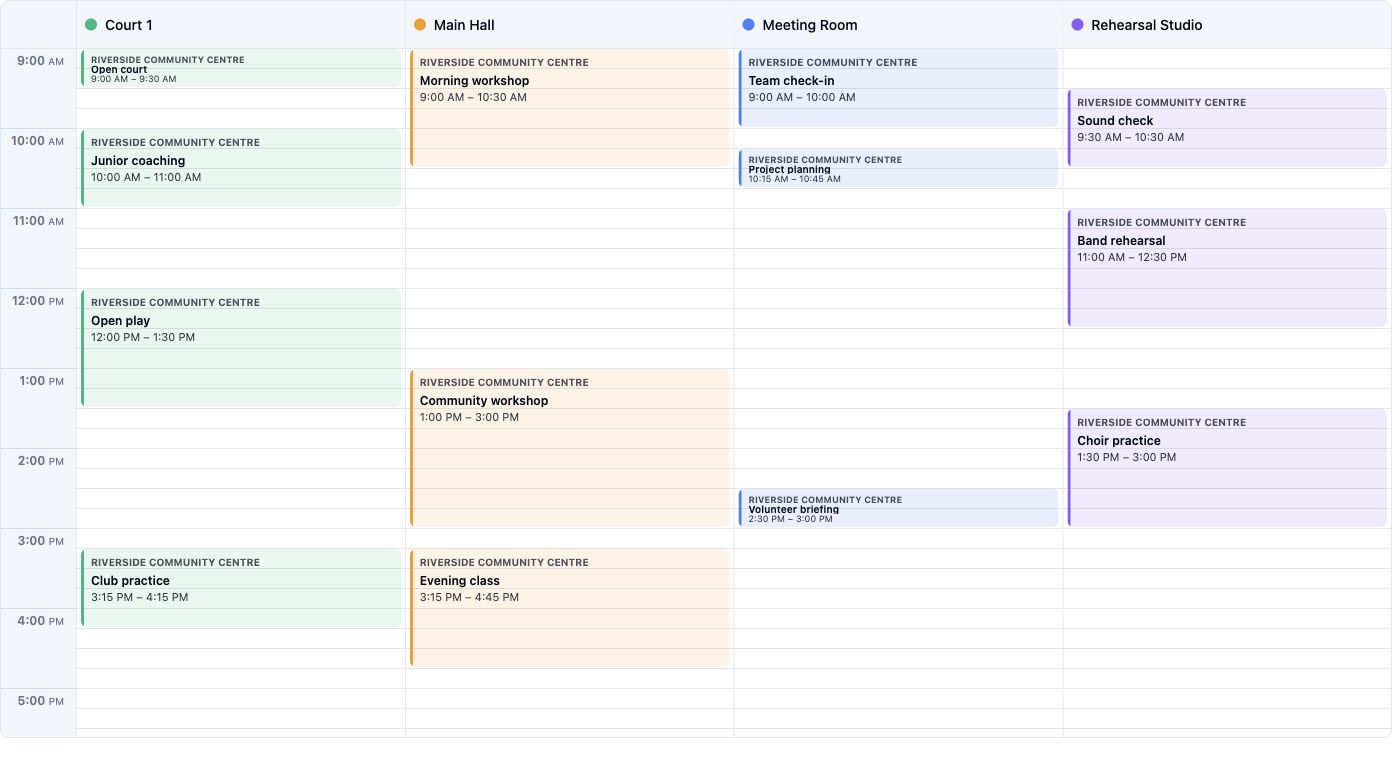
Shared calendar
Morning and afternoon workshops fill Main Hall while meetings, court sessions, and rehearsals use their own spaces. Staff can review reservations together; bookers see only eligible times.
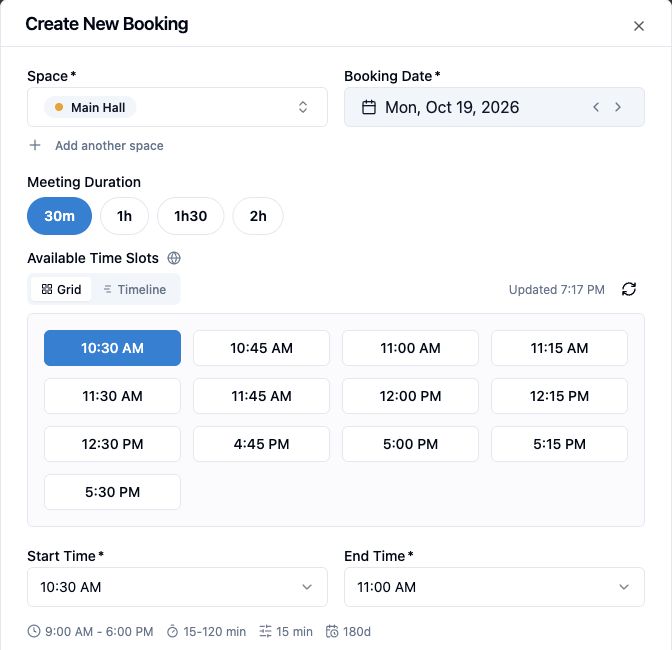
Members and visitors
Riverside's Main Hall is open to staff and outside visitors. Staff can use the operator booking form; visitors can choose an available time through the public booking page. Both paths reflect the hall's existing reservations. Members can also book under the access and limits set for them.
Explore member and guest booking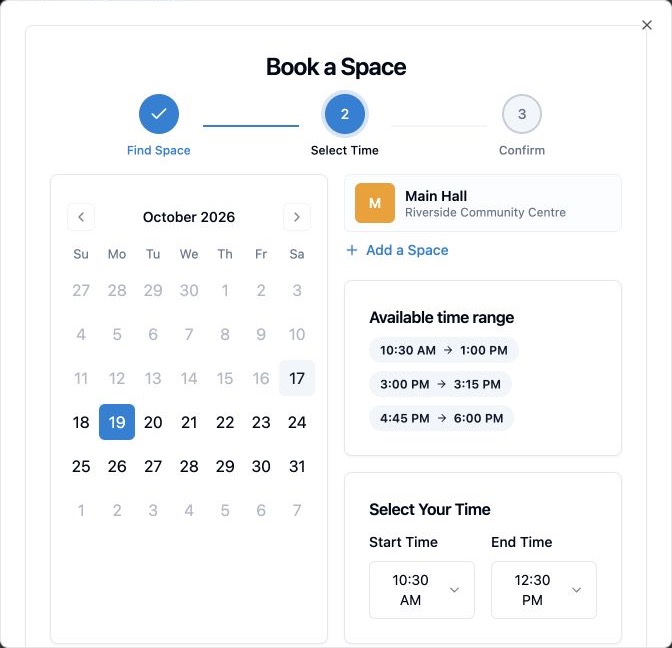
Flexible halls
Model the physical hall and its bookable zones together. A booking for one zone can leave another available while preventing a conflicting whole-hall reservation.
Try the modular-space exampleZone A is booked, so the parent hall cannot be booked for the same time. Zone B remains available.
Rules
The calendar shows what is reserved. Rules decide which groups can book, how far ahead they can plan, and when a room must stay closed.
Explore booking rulesAllow recurring sessions for eligible members when the venue permits them.
Offer selected rooms through a public booking page when enabled.
Block a period or add a date exception for repairs or a private event.
Set how far ahead each eligible audience can reserve a room.
Insights
The Community Hub example shows which days and hours contain bookings. Use the activity heatmap over a selected date range before changing availability or room setup.
Explore usage insights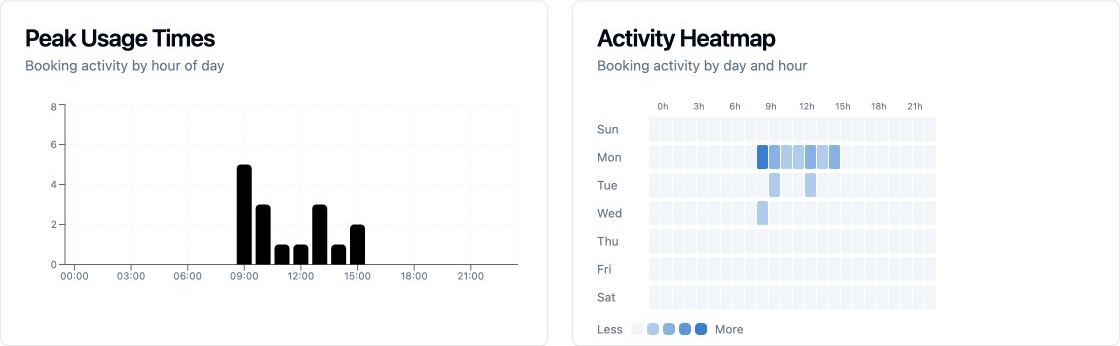
FAQ
Guest booking and payment options depend on your Spacebook plan and venue setup. Compare plans
Where public booking is enabled, visitors can use a shareable link or embedded booking page. Your venue controls which spaces they can reserve.
On supported plans, a venue can set prices and offer Stripe online checkout or payment at the venue when enabled. Reservation payments are separate from the Spacebook subscription.
Yes. A physical space can have zones and alternative bookable configurations. Configurations sharing a zone cannot be booked at overlapping times. Try the modular-space example.

Set up rooms and rules that match the way your community uses them.